Budget planner & expense tracker for iPhone

Know if your budget is on track.

Cifro turns your spending into a clear answer: are you on pace this month, how much can you spend per day, and where is your money going. No bank login, no ads, no tracking.

Free · iPhone with iOS 26 or later · English and Spanish

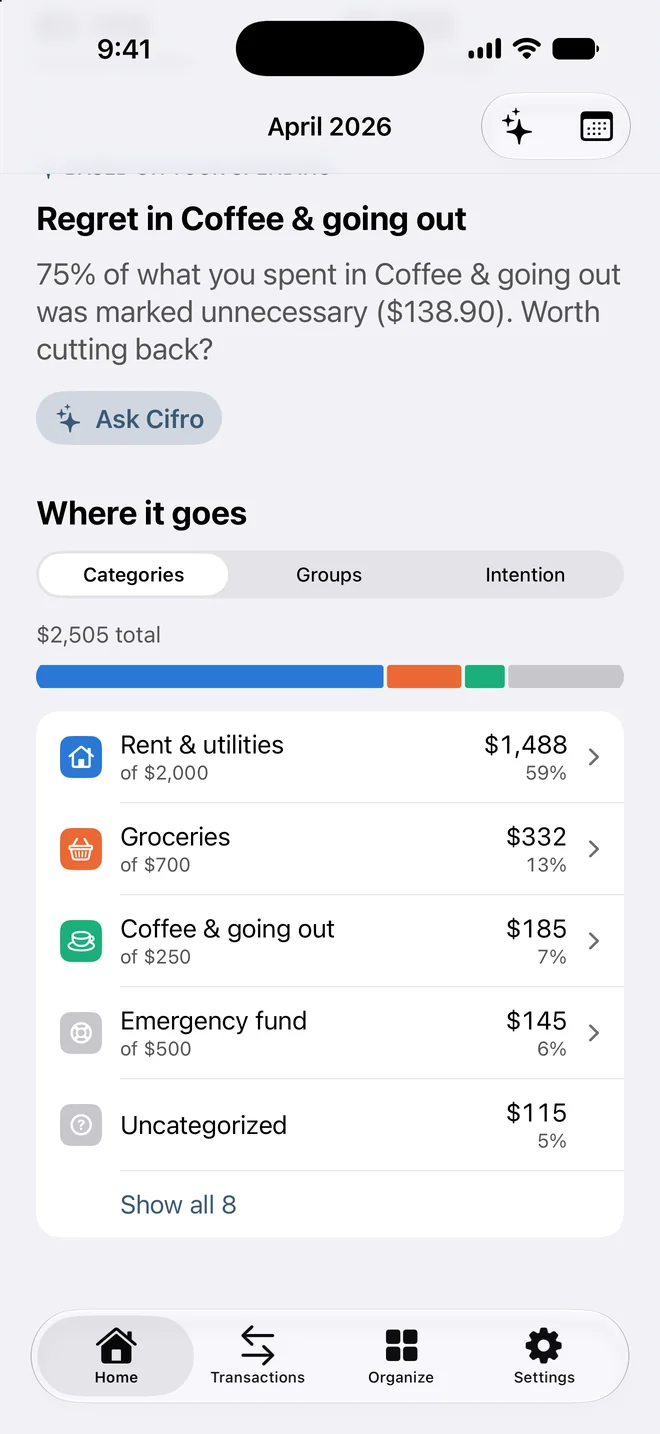
Cifro breakdown of the month by category with one stacked bar
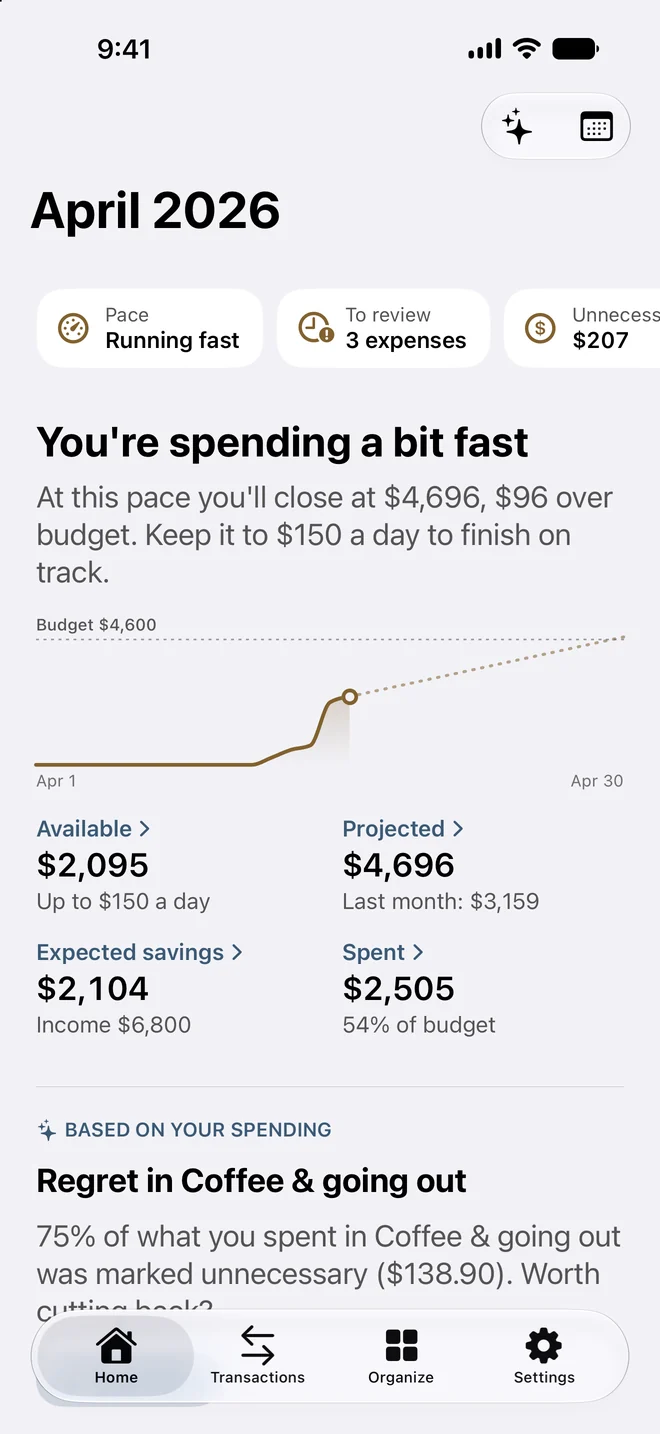
Cifro Home: “You're spending a bit fast” with a daily limit, pace chart and expected savings
  • Daily spending limit
  • Budgets by category
  • Private on-device AI
  • Receipt scanning
  • Voice and Siri
  • iCloud sync

Features

What Cifro does

Cifro tells you three things: if the month is on track, how much you can spend per day, and where the money went.

Budget pace

A budget planner that tells you if you're on track

Open Cifro and read the verdict first (“You're on pace” or “You're spending a bit fast”) with the exact daily limit to finish the month within budget.

  • Daily spending limit for the rest of the month
  • Projection for month-end spending
  • Expected savings against your monthly income
Cifro Home with the month verdict, daily limit, pace chart and metrics

Spending tracker

See where your money goes

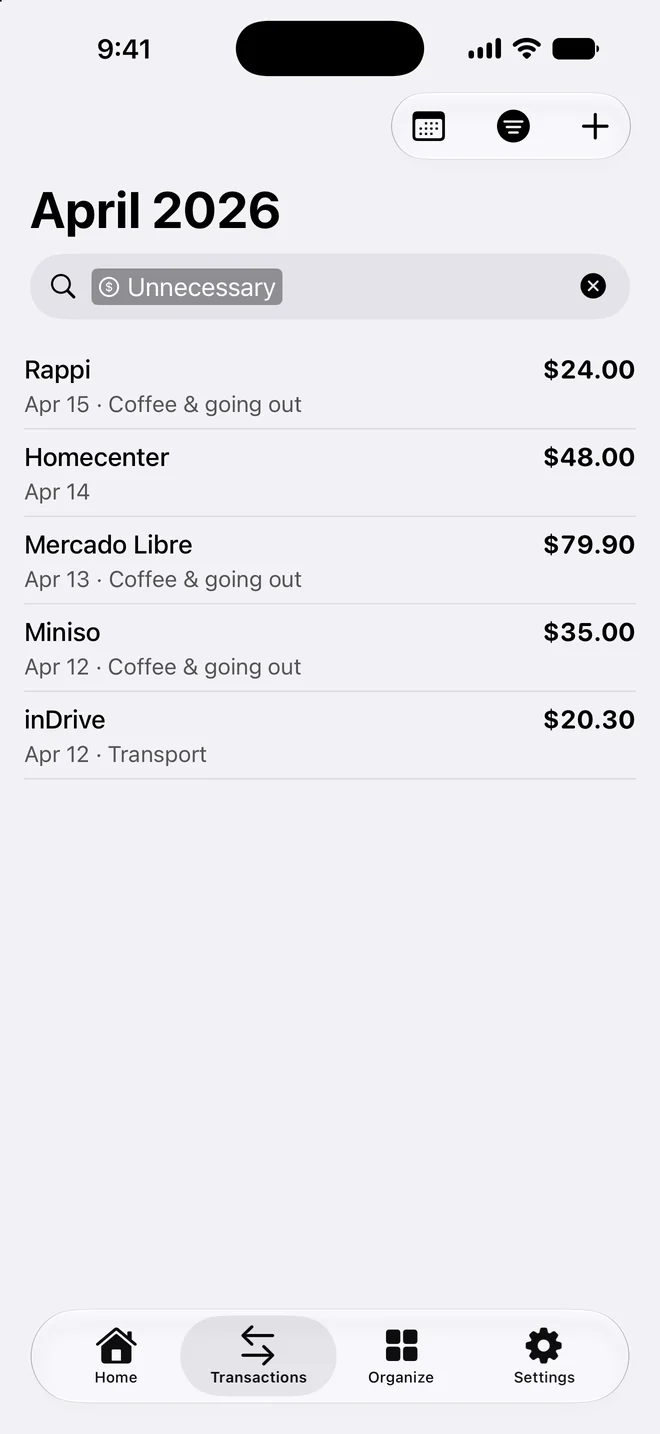
One stacked bar splits the month by category, by group, or by intention: well spent, necessary, or unnecessary. Tap any row to open those exact expenses.

  • Categories, groups and intention views
  • Share of spending for every category
  • Budget next to what you spent
Cifro “Where it goes” with a stacked bar and a category list

Budgets

A budget for every category

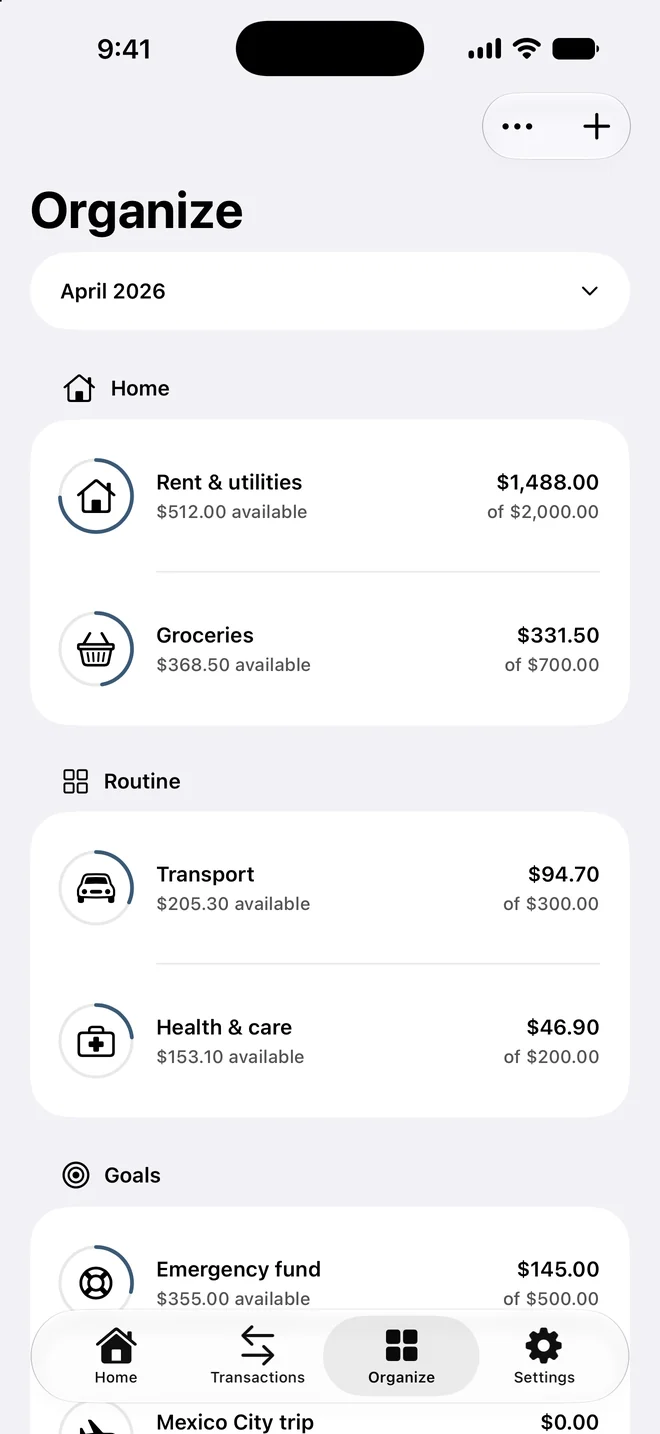
Set up to eight categories with their own budget and organize them in groups like Home, Routine or Goals. Each one shows what you spent and what's left.

  • Monthly budget per category
  • Groups for fixed costs, routine and goals
  • Progress rings with what's still available
Cifro Organize with budgets by category grouped into Home, Routine and Goals

Private AI

Ask Cifro about your money

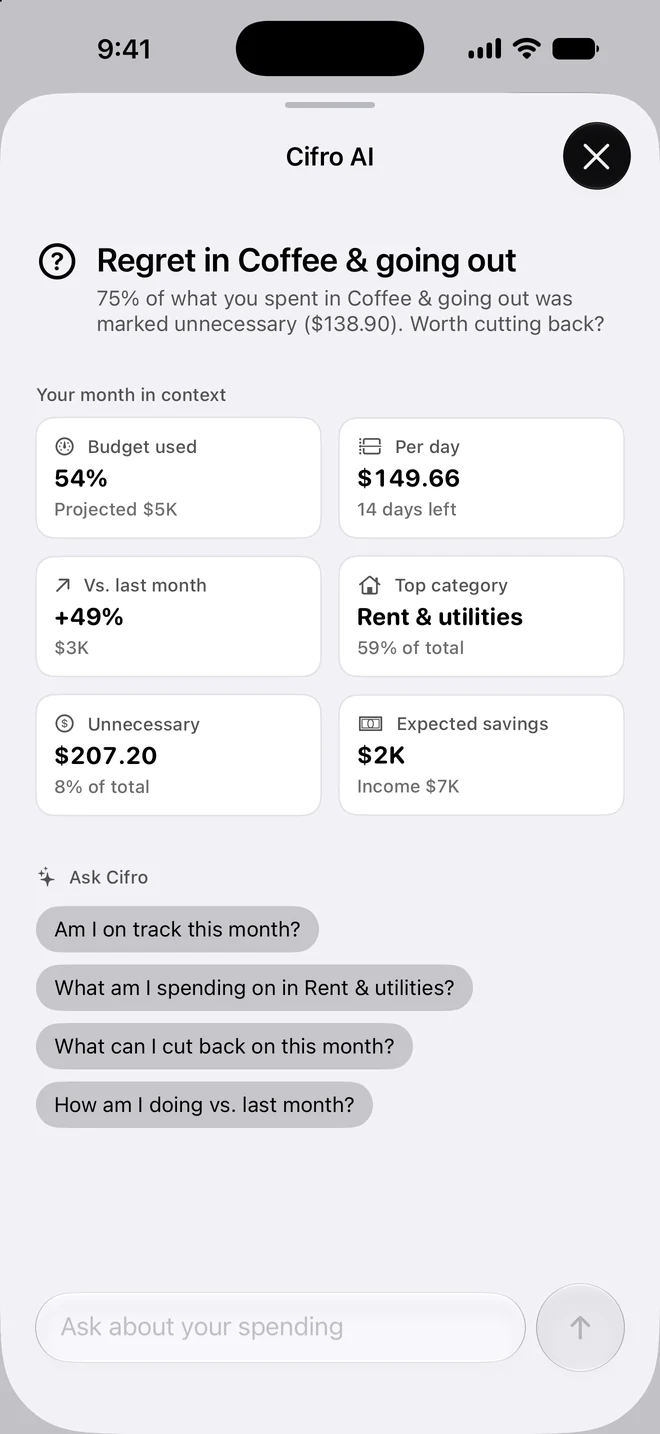
Ask “Am I on track?”, “What can I cut this month?” or “How am I doing vs. last month?”. Cifro AI answers with your real numbers using Apple Intelligence on your iPhone. The conversation never leaves the device.

  • Answers based on your own spending
  • Runs on device with Apple Intelligence
  • Month context available on every iPhone
Cifro AI with the month in context and suggested questions

Expense tracker

Log an expense in seconds.

Type it

Write “15 lunch at the sushi place” and Cifro fills in the amount, place and category.

Say it

Log expenses with your voice, or with Siri and Shortcuts.

Scan it

Scan a receipt from the camera or your photos and confirm the expenses it finds.

Any currency

Spending abroad? Cifro converts other currencies to your own automatically.

Private by design

Your financial data stays yours.

No account or bank login

Start without an email, password or bank connection. Cifro is useful from the first expense.

No ads, no tracking

No advertising and no third-party analytics. Your spending is not someone else's dataset.

Your iPhone, your iCloud

Data lives on your iPhone and syncs through your own private iCloud. Face ID or Touch ID can lock the app.

AI on device

Suggestions and Cifro AI run on your iPhone. Only exchange rates are fetched from the internet, never your data.

FAQ

Questions about Cifro.

Is Cifro free?

Yes. Cifro is free to download on the App Store, with no ads and no subscription required to track expenses and budgets.

Does Cifro connect to my bank?

No. Cifro never asks for your bank login. You log expenses by typing, by voice or Siri, or by scanning a receipt.

Is my financial data private?

Your data is stored on your iPhone and synced only through your own private iCloud account. Cifro has no ads, no third-party analytics and no account to create.

How does Cifro AI work?

Cifro AI uses Apple Intelligence on your iPhone to answer questions about your own spending. It needs an iPhone that supports Apple Intelligence; on other iPhones you still get the month's context and insights.

Which iPhones and languages are supported?

Cifro runs on iPhone with iOS 26 or later and is available in English and Spanish.

Can I use Cifro with other currencies?

Yes. Choose your main currency and log expenses in others; Cifro converts them using current exchange rates.
Start with one expense.

In a few days you'll know your daily limit, your top categories and whether the month is on track.